Bid-leveling checklists
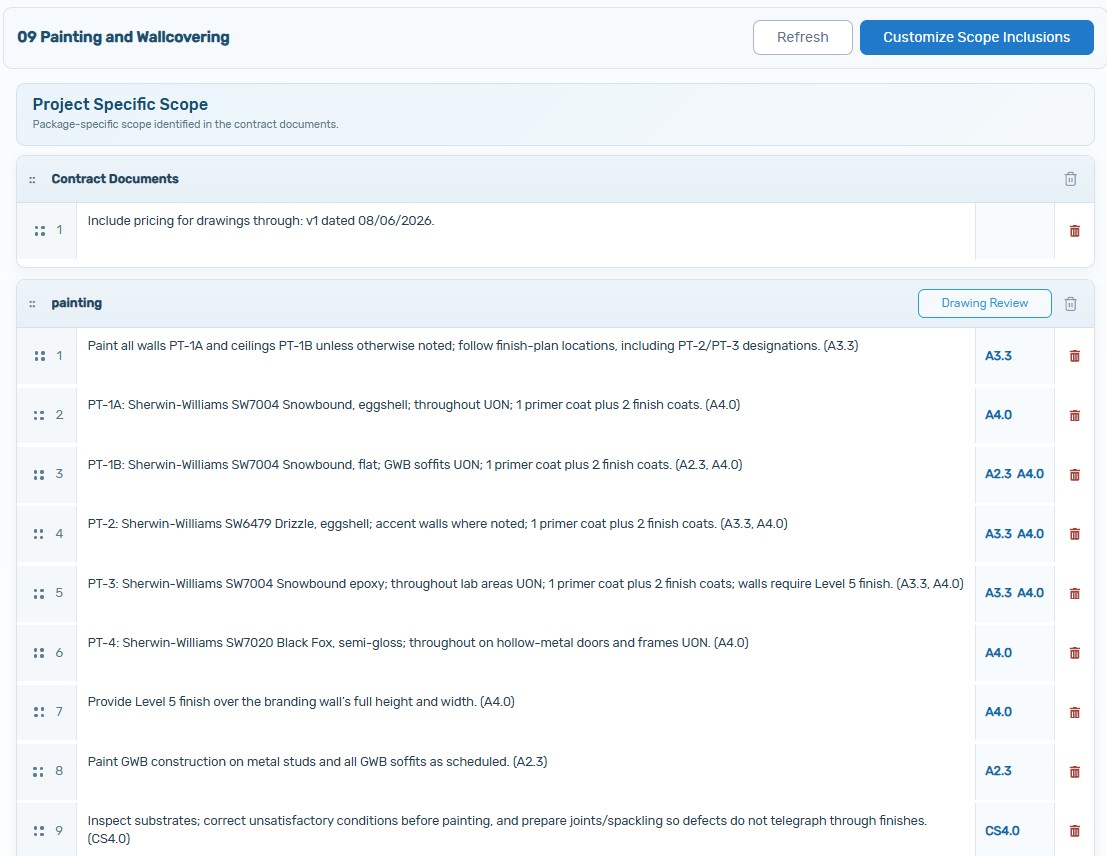
Complete, trade-specific checklists are generated from drawings, specifications, addenda, and supplemental bid documents—with source references attached.
Download sample09 Drywall · Scope Checklist.docx
Built-in AI for preconstruction
ScrubPlan works inside the workflow your team already uses. It automatically reads project documents, builds trade-specific scopes, monitors bid health, follows up with bidders, reviews proposal inclusions, and surfaces leveling actions.
One connected workflow
ScrubPlan carries project-specific scope through bid-package creation, bidder outreach, proposal review, bid leveling, and revision tracking. The AI responds as the bid changes, so attention goes to exceptions and decisions—not repetitive document work.
Qualified project personnel review automated outputs and retain final authority over every scope assignment and award decision.
How the platform works
The same scope intelligence moves forward instead of being rebuilt in separate spreadsheets, emails, and bid tabs.
Plans, specifications, addenda, and supplemental bid documents.
Complete trade checklists with references, ready for review.
Track bidders while agents confirm who intends to bid.
Return missing or unclear inclusions before final submission.
Compare consistently and close clear follow-up items.
See which trade packages are affected by every revision.
Scope creation
ScrubPlan analyzes the full project set and uses its proprietary material database to create a repeatable, trade-specific foundation for bidding and buyout. Every bidder is measured against the same source-linked scope.
Complete, trade-specific checklists are generated from drawings, specifications, addenda, and supplemental bid documents—with source references attached.
Turn reviewed scope intelligence into project-specific contract inclusions for bid packages, leveling, subcontracts, and turnover.
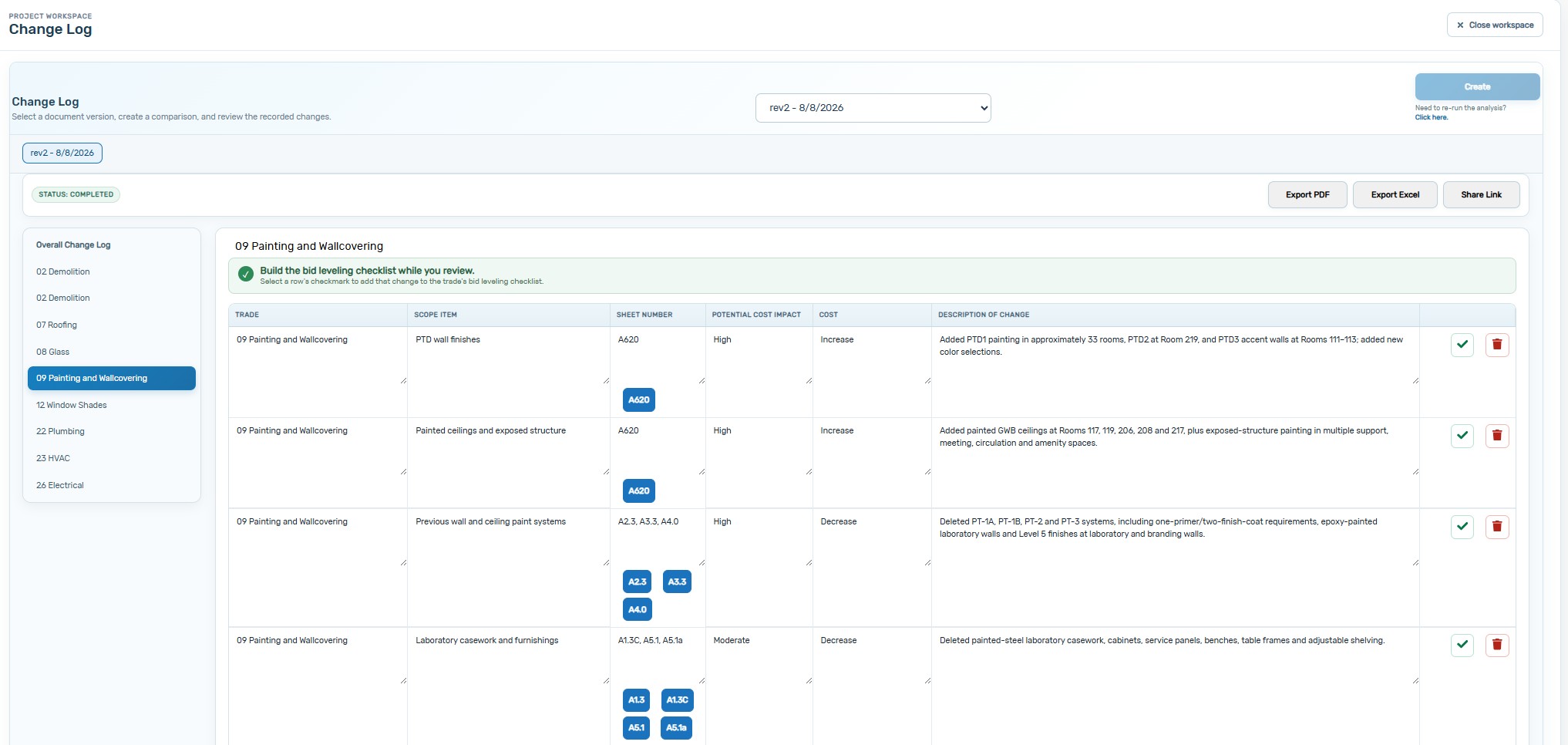
Review revised drawings for changes, itemize every update by sheet and trade, and carry confirmed change items directly into bid-leveling checklists.
Review each item, edit the language, and move callouts to a different trade when project conditions require it.
How AI fits the workflow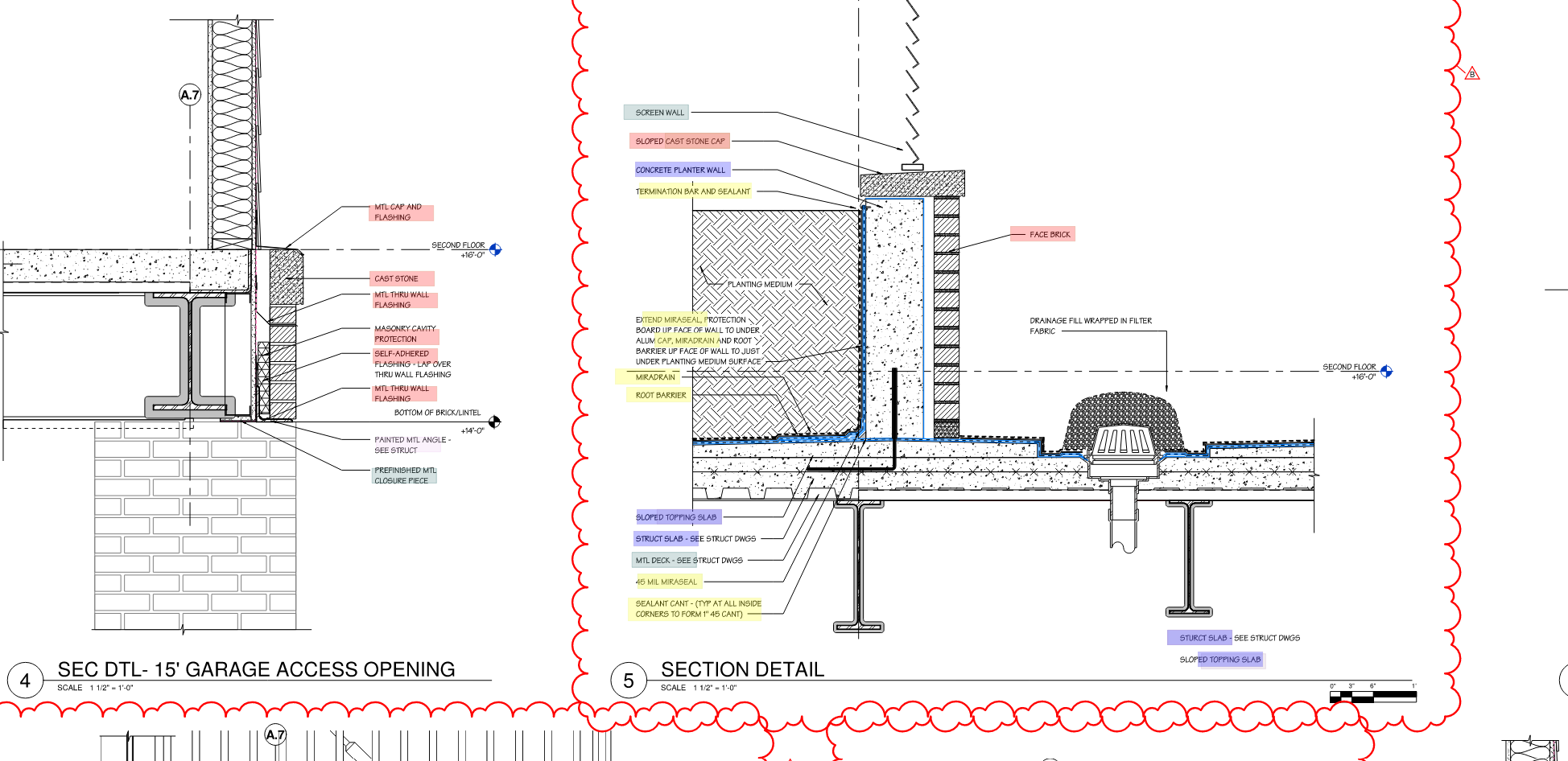
Marked-up PDF export
ScrubPlan isolates the relevant sheets and highlights identified responsibilities directly on the plans. Export the mark-up as a PDF so estimators, bidders, operations teams, and field partners coordinate from the same visual record.
Automated outputs should be reviewed by qualified project personnel before contractual use.
Bidder-side proposal review
Every checklist item stays connected to its exact drawing location. Subcontractors and vendors can understand the requirement, upload their proposal, and correct discrepancies before the bid reaches your team.
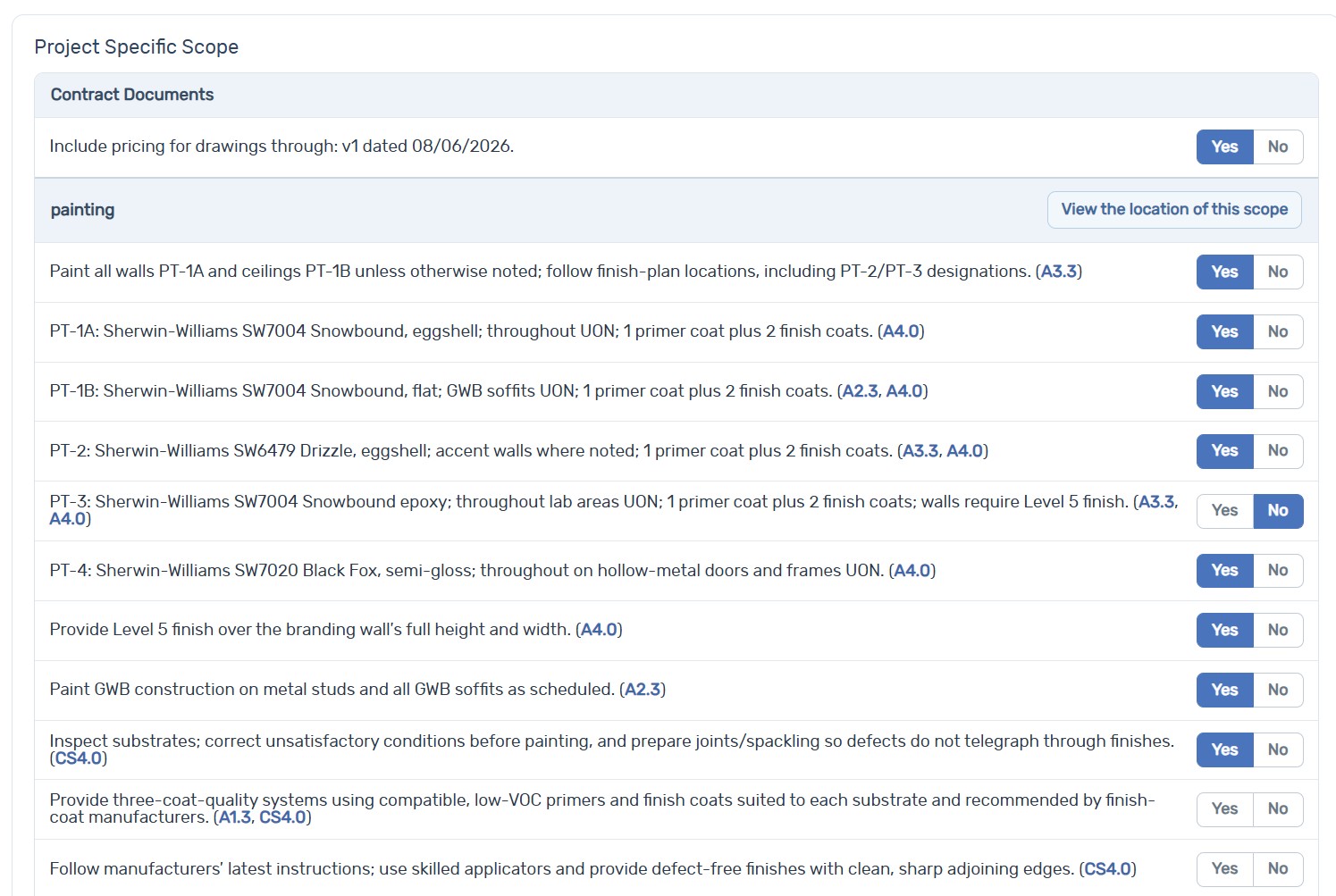
The subcontractor or vendor answers each scope item using the same project-specific checklist.
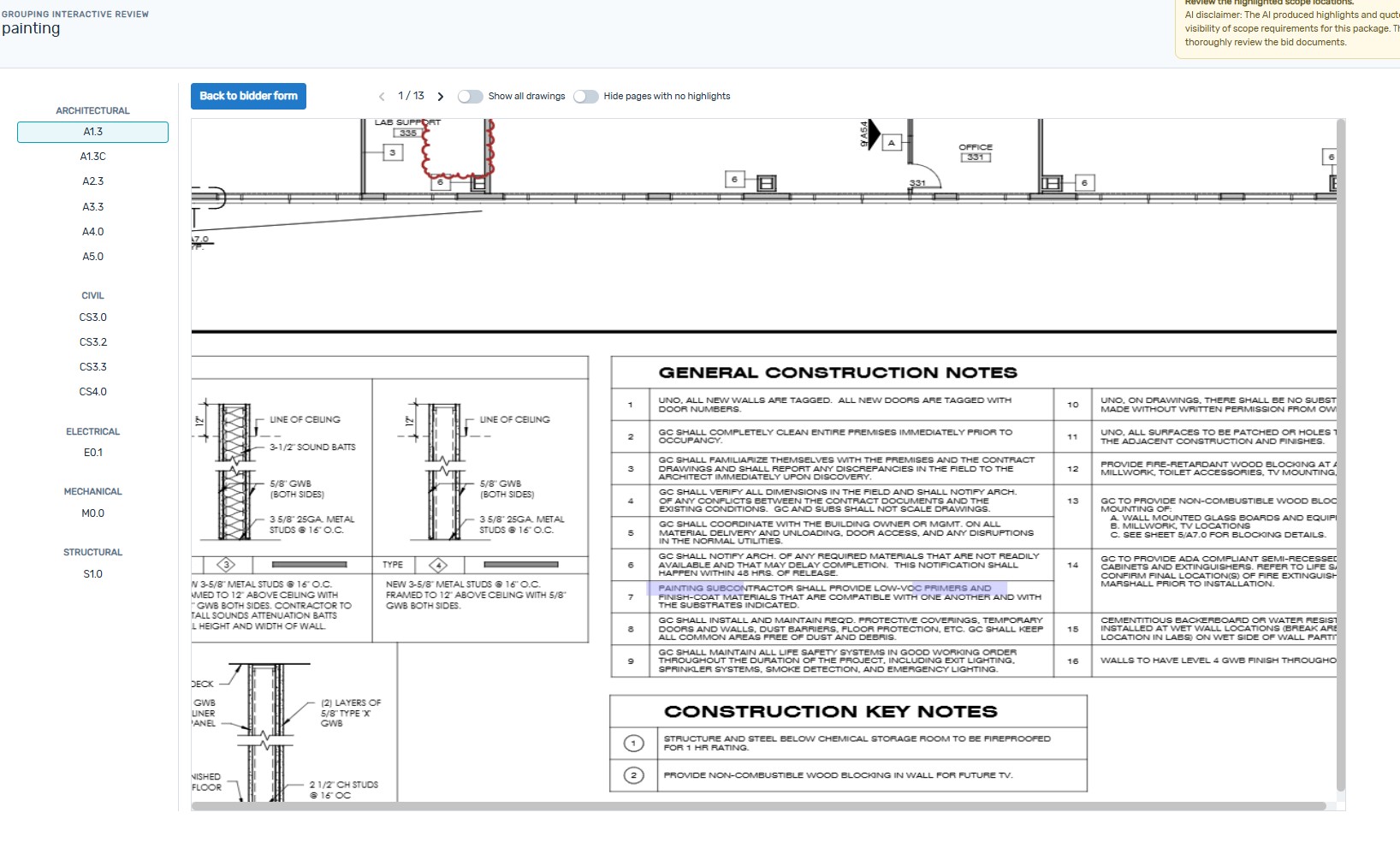
The subcontractor or vendor moves through the drawings containing relevant highlights, helping them digest the scope quickly and answer with confidence.
The subcontractor or vendor uploads the quote while checklist responses and source locations remain attached.
ScrubPlan compares proposal language with the same project checklist, then returns exclusions, gaps, and open clarifications to the bidder.
The subcontractor or vendor resolves each discrepancy and reviews the updated result before submitting the final bid.
Agent follow-up
ScrubPlan’s agent works from your bid list and project profile, then brings confirmations and status changes back into the same coverage view.
Your team starts a new list or imports the bidders already selected for each trade package.
The agent compares the list with similar projects by market sector, project size, and region to surface coverage opportunities.
Invitations go to the selected subcontractors and vendors with the project and trade-package details they need.
The agent texts and/or calls bidders, confirms intent, and writes each response back to the live bid-status view.
Material tracking
The tracker is only the beginning. ScrubPlan identifies the materials and equipment the project actually needs, then Material Tracking Agents keep checking the path to delivery and elevate the items that need attention.
Project context enters once.
Equipment, source context, and required milestones become a concise material status log.
Agents continuously compare current status with the dates the project requires, identifying late or at-risk submittals, releases, and deliveries.
Status, reviews, approvals, and resubmissions
Required decisions and production commitments
Promised dates compared with project need
When an item is late or at risk, Material Tracking Agents email and text the responsible subcontractors, notify the project team, and continue following up until the issue is addressed.
Senior and executive management get a concise view of material health, schedule exposure, and items requiring attention without reviewing the full status log.
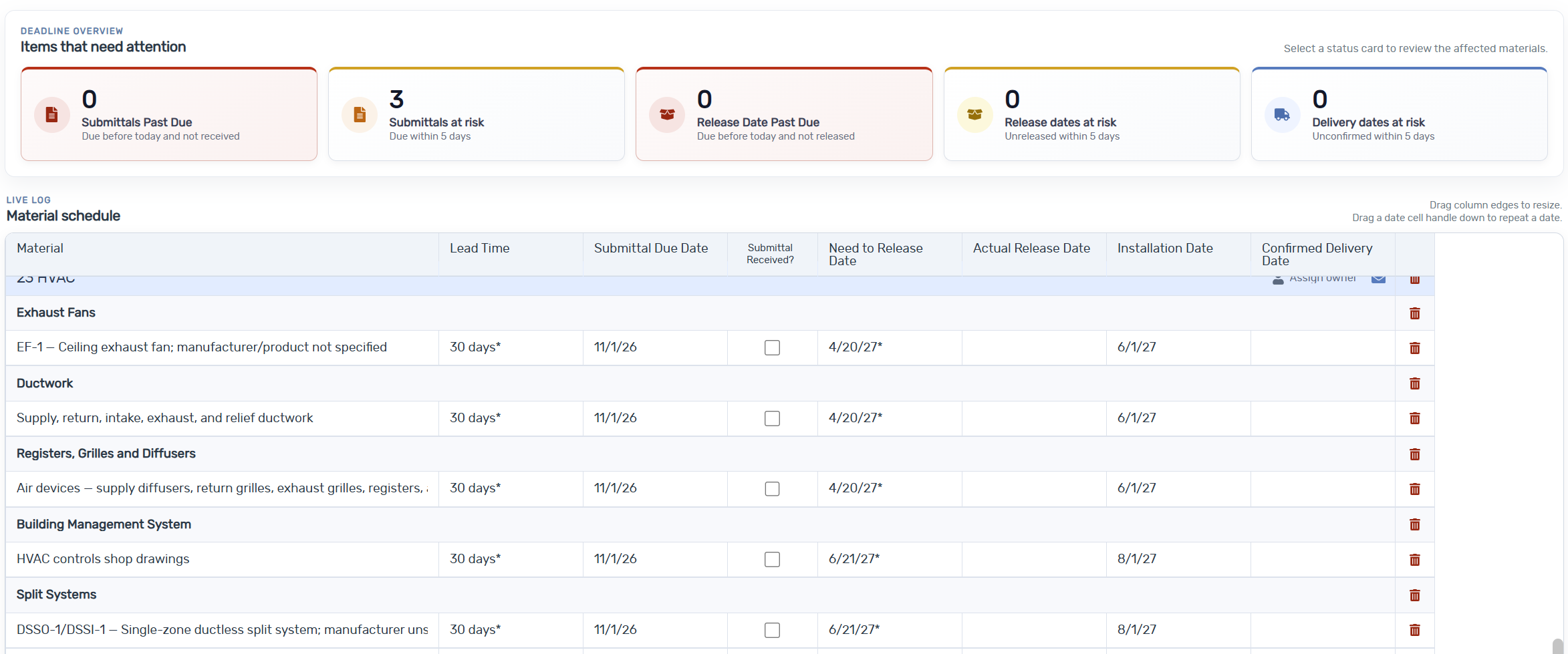
ScrubPlan helps teams identify gaps and inconsistencies more efficiently; it cannot guarantee that every scope issue will be found.
Put ScrubPlan on the next bid
Enter your name and work email to request access. Start with one active project and see the connected workflow on your own documents.
See usage-based pricing